6 September 2026 · 8 min read
Invoice Automation That Holds: A GCC Buyer's Guide
Most Gulf finance teams automate invoices before fixing the ERP layer beneath them. Here's a decision framework for when native modules, specialist tools, or scripts actually work.

Key takeaways
- Silent failures — automation that reports 'success' while posting the wrong VAT line — are more common than outright crashes in GCC invoice workflows.
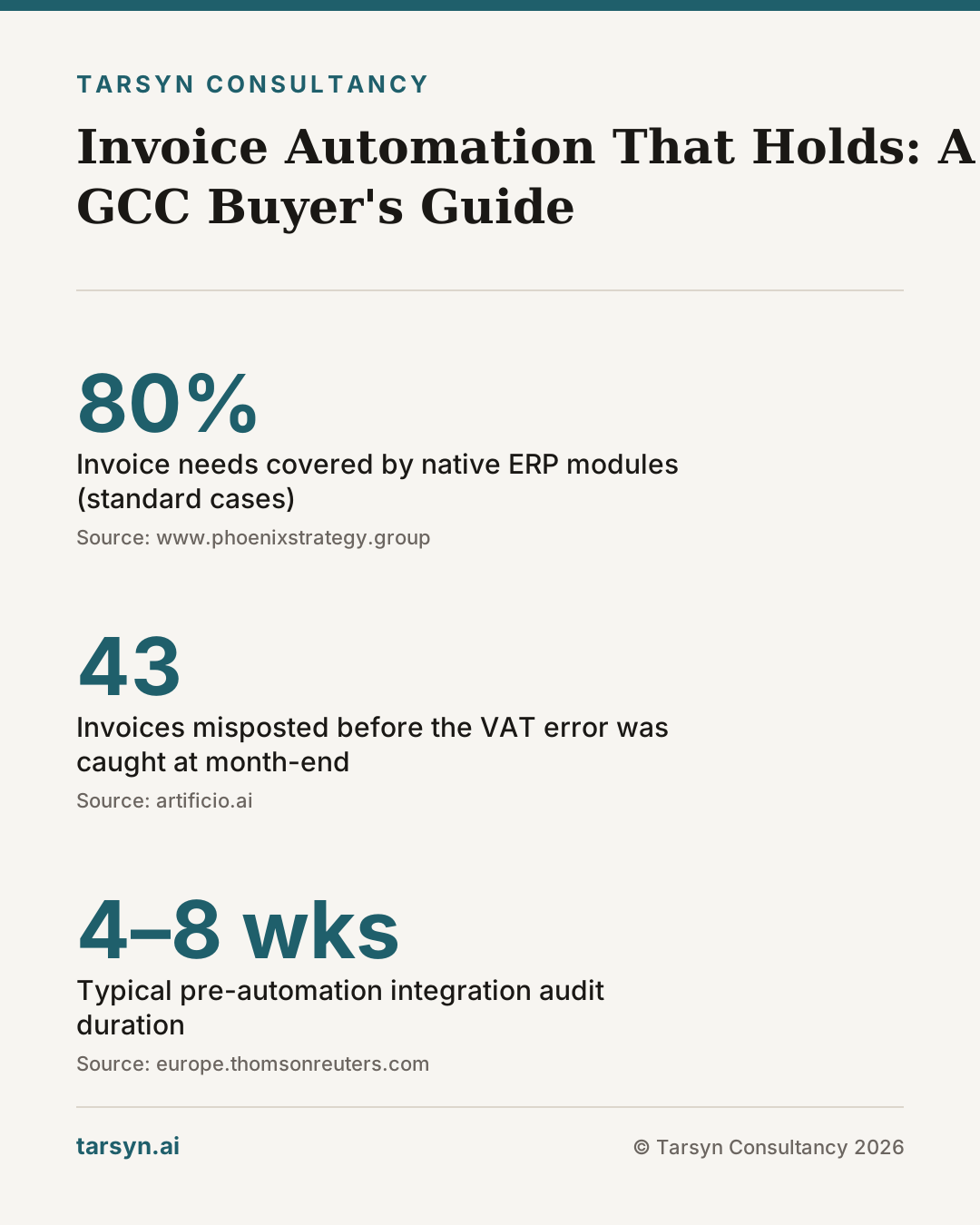
- Native ERP invoice modules cover roughly 80% of standard cases; the remaining 20% (multi-currency deals, Arabic-language PDFs, ZATCA edge cases) is where fragile scripts accumulate.
- Specialist AP automation tools add document AI, multi-format OCR, and approval routing outside the ERP — but only earn their cost if your ERP integration layer is already stable.
- The correct sequencing is: audit the integration layer first, standardise data structures second, then add automation — not the other way around.
A Gulf finance team spent four months building a Python script to automate supplier invoice posting into their SAP system. It worked perfectly — for their top twenty suppliers. Then a new vendor sent an Arabic-language PDF with a custom discount structure, and the script posted the wrong VAT line on forty-three invoices before anyone noticed. The ERP reported no errors. The month-end reconciliation found the gap. That story is not unusual. It is, in fact, the default outcome when workflow automation is layered on top of an unstable integration foundation.
The real question for GCC operators is not which invoicing tool to choose. It is whether the layer beneath any tool is solid enough to support it.
Why DIY Invoice Automation Keeps Breaking — and the Tool Is Rarely the Culprit
The appeal of a quick script is understandable. Your ERP has an API, your supplier sends a consistent PDF format, and a developer can wire them together in a weekend. For a narrow, stable set of invoices, this works.
The problem is that Gulf operations are structurally messy in ways that break narrow solutions. Suppliers send invoices in English, Arabic, and hybrid formats. Deal structures include volume rebates, consignment terms, and intercompany arrangements that don't map to a standard invoice line. ZATCA in Saudi Arabia and the UAE's e-invoicing framework both require specific XML schemas and digital signing — and both frameworks issue compliance updates that your script will not automatically absorb [2].
When a script hits one of these edge cases, one of two things happens. It crashes visibly, which is fine — you fix it. Or it processes the document, posts a result, and marks the task complete while getting the numbers wrong. The second outcome is the one that causes actual damage, because automation can report success while your business fails. A month-end reconciliation that finds a systematic VAT misposting across six weeks of invoices is not a technology problem — it is an audit problem, and sometimes a penalties problem.
The root cause is almost never the tool itself. It is that the workflow was never properly defined before the automation was written. Garbage in, articulate garbage out.
Native ERP vs. Specialist Tool vs. Custom Script: What Each Option Actually Covers
These three options are not a hierarchy from worst to best. They serve different scopes, and choosing the wrong one for your situation is what creates the brittleness.
Native ERP invoice modules (Odoo Accounting, SAP FI, Dynamics 365 Finance) handle the standard case well: a digital invoice arrives, the system matches it against a purchase order and goods receipt, tax is calculated against the configured rate, and the posting goes to the right ledger account. For businesses with a consistent supplier base, standard deal structures, and VAT rules that map cleanly to the ERP's tax engine, native modules cover roughly 80% of what finance teams need [3]. The ceiling appears when deal complexity rises — multi-currency intercompany invoices, deferred tax scenarios, or supplier invoices that arrive as scanned images rather than structured data.
Specialist AP automation tools — platforms that offer document AI, multi-format OCR, approval workflows, and ERP connectors — exist precisely to address that ceiling [1]. They can ingest an Arabic PDF, a scanned receipt, or a WhatsApp-forwarded image, extract line-item data with high accuracy, route the result through a configurable approval chain, and post to the ERP via API. The caveat is important: these tools amplify whatever is already in your ERP master data. If your vendor master has duplicates, if your chart of accounts has unmapped categories, or if your tax configuration has untested edge cases, a specialist tool will process bad data faster and more consistently than a human would.
Custom scripts and low-code connectors (Python, n8n, Zapier, Power Automate flows) are appropriate for narrow, well-defined bridges: pulling approved invoices from a specialist tool into a specific ERP object, or triggering a notification when a certain invoice type arrives. They are not appropriate as the primary processing layer. They have no built-in compliance update mechanism, no document AI fallback, and no visibility layer — when they fail silently, you find out at reconciliation. As we explored in When Your Automations Break Quietly, silent failure is the distinguishing risk of lightweight automation.
Five Criteria to Evaluate Any Invoicing Automation for GCC Compliance
Before comparing vendors or building anything, run your current or candidate solution against these five tests.
1. Does the tax engine handle your specific VAT scenarios without manual override? Standard 5% VAT is trivial. Zero-rated exports, exempt supplies, and reverse-charge mechanisms on cross-border services are not. ERP tax engines often struggle with complex, multi-jurisdiction rules, and require custom configuration that may not survive a software update [3]. Ask your ERP vendor or implementer to demonstrate the specific scenarios your business runs — not a generic demo.
2. Is your supplier master data clean and deduplicated? An automation that cannot reliably match an incoming invoice to the correct vendor record will either fail or post to the wrong account. In many Gulf businesses, the vendor master was built over years of ad-hoc entries — the same supplier appears under three names and two tax registration numbers. No automation fixes this; it has to be resolved manually before the automation runs.
3. Are your approval chains documented — not just understood? "Mohammed in finance approves invoices over AED 50,000" is not a workflow. It is a person-dependent process that breaks during Ramadan, when teams travel for Hajj season, or when Mohammed moves roles. Automation requires defined rules, not institutional memory.
4. Can the system generate a ZATCA-compliant or UAE-compliant e-invoice natively? Both frameworks require specific XML schemas, QR codes, and in Saudi Arabia's Phase 2, integration with the FATOORA portal [2]. If your ERP requires a third-party add-on to meet this requirement, the integration between that add-on and your ERP is a fragile point that needs explicit testing — not an assumption.
5. Are failures immediately visible, or only discovered at month-end? This is the single most important operational question. A good automation stack has real-time exception alerts, not just a success/failure log that someone checks periodically. If your current setup requires a human to run a reconciliation report to discover whether the automation worked correctly, you have monitoring debt that will eventually cost you.
Odoo, SAP, and Third-Party Connectors: A Realistic Side-by-Side
Rather than a feature-by-feature matrix (those age badly and rarely reflect real implementations), here is a practical framing for the three most common configurations we see in the Gulf.
| Scenario | Best fit | Watch out for | |---|---|---| | SME, <500 invoices/month, mostly local suppliers | Odoo Accounting native module | ZATCA Phase 2 certification status of your Odoo version | | Enterprise, complex intercompany, multi-entity | SAP FI with certified ZATCA connector | Integration debt between SAP ECC and the connector if you're pre-S/4 | | High volume, multi-format supplier invoices | Specialist AP tool (e.g., Artificio, Basware) + ERP connector | Connector stability; test the API under load, not just in demo | | "We have a script that mostly works" | Nothing yet — fix the ERP layer first | The script masking a deeper data quality problem |
The SAP 2027 ECC end-of-support deadline adds urgency for a specific set of Gulf businesses: if you are running ECC with a bolt-on ZATCA connector, you need to evaluate whether extending or replacing your SAP instance is the right call before investing further in automation on top of it. Similarly, if you have Odoo and are considering adding AI decision support, the sequencing matters enormously — automate the stable parts first.
Third-party connectors are the integration layer that most businesses undertest. A connector between a specialist AP tool and your ERP works in the demo because the demo uses clean, consistent sample data. In production, it will encounter duplicate vendor records, missing GL codes, invoices with non-standard line-item structures, and API rate limits. Budget for integration testing as a distinct workstream — not an afterthought.
Tarsyn's View: Fix the Integration Layer Before You Automate Anything
Here is the honest version of what we tell clients who come to us wanting invoice automation: most of them should not automate invoices yet.
Not because automation is bad. Because in the majority of cases we audit, the ERP integration layer has unresolved data quality issues, undocumented approval logic, and tax configurations that have not been tested against the business's actual transaction mix. Automating on top of that does not eliminate the problems — it makes them faster and harder to find.
The correct sequence is: audit the integration layer, clean the supplier master, document the approval rules, test the tax engine against real transactions, establish a monitoring layer with real-time alerts — then automate. In our experience, that pre-work typically takes four to eight weeks and costs a fraction of recovering from a systematic misposting discovered three months after deployment.
We also want to be direct about something: sometimes the answer is a better-configured native ERP module, not a new tool. If your Odoo or SAP instance covers your transaction types and the problem is configuration rather than capability, spending on a specialist AP platform is waste. We charge the same whether the answer is "buy this tool" or "don't buy anything yet" — which is the only way we can give you an honest answer.
If you are not sure where your integration layer stands, the operations audit is the right starting point. It maps your current ERP configuration, data quality, and workflow logic before any vendor conversation starts. The audit process is also how we determine whether automation is the right lever at all — sometimes the answer is fixing the spreadsheets first.
The WhatsApp-to-ERP gap — where approvals and supplier communications live in chat while the numbers are supposed to live in the system — is a particularly common source of invoice automation failure in the Gulf. If your team is forwarding invoices over WhatsApp as the primary handoff mechanism, any automation you build on top will be fighting that channel every day.
The tools exist. Odoo, SAP, and specialist AP platforms all do what they claim in the right conditions. The right conditions require work before the tool is selected — not after it is deployed and breaking quietly.
Frequently asked questions
Why do invoice automation scripts keep breaking in GCC businesses?+
Usually because the script was built around one deal structure or one supplier's PDF format — and Gulf operations rarely stay that clean. A custom deal term, a ZATCA compliance update, or an Arabic-language invoice from a new vendor exposes the assumption baked into the original code. The script keeps running and reporting success while posting incorrect data. The ERP integration layer underneath was never stable enough to support it.
When is a native ERP invoice module enough?+
When your supplier base is consistent, your deal structures are standard, and your VAT rules map cleanly to the ERP's built-in tax engine. Odoo and SAP both cover the core ZATCA and UAE VAT scenarios for straightforward transactions. If your finance team is manually correcting postings more than once a week, the native module is likely hitting its ceiling and a specialist layer deserves evaluation.
What does a specialist AP automation tool add that an ERP can't?+
Document AI that handles multi-format, multi-language invoices — Arabic PDFs, scanned receipts, WhatsApp-forwarded images — plus approval routing that operates independently of the ERP's permissions model. The gap is real for businesses with high invoice volume or complex supplier networks. The catch: these tools amplify whatever is already in your ERP data. If the integration layer is broken, you automate the broken data faster.
What should a GCC operator audit before choosing any invoicing automation?+
Five things: whether the ERP's tax engine handles your specific VAT scenarios without manual override; whether supplier data is clean and deduplicated; whether approval chains are documented (not just 'how it works in practice'); whether the system can generate a ZATCA-compliant e-invoice natively; and whether a failure in the automation is visible immediately or only at month-end reconciliation.
Sources
- 1. Best Invoice Processing Automation Software 2026: A Buyer's Guide for Finance Leaders — artificio.ai
- 2. Invoice automation and how to get started — europe.thomsonreuters.com
- 3. ERP Integration for VAT/GST Compliance - Phoenix Strategy Group — www.phoenixstrategy.group
Mohammed Z
Founder, Tarsyn
Mohammed builds the systems behind modern businesses — automation, AI decision layers, and the unglamorous plumbing that makes them work. He founded Tarsyn in Abu Dhabi.
Find out where your operation actually stands.
The AI Opportunity Audit maps your workflows, your data, and your decision bottlenecks — and tells you honestly whether AI is worth it yet.
Start the audit