30 August 2026 · 9 min read
Runaway Automation Costs: How to Stop Workflows Gone Wrong
One bad IF condition triggered 47,000 workflow runs and a $2.5k bill in six hours. Here's the cost governance architecture GCC ops teams need before go-live.

Key takeaways
- A single misconfigured loop condition can generate tens of thousands of workflow executions in hours — and vendors rarely mention this failure mode in their sales decks.
- There are four primary cost exposure points in any automation stack: execution volume, API call charges, data egress fees, and third-party trigger costs.
- Loop limits, budget alerts with hard ceilings, and dead-man switches are not optional features — they are the minimum viable governance layer for any live workflow environment.
- Organisations running 200+ workflows need tiered monitoring, not flat alerting: tier by business impact, not by technical noise.
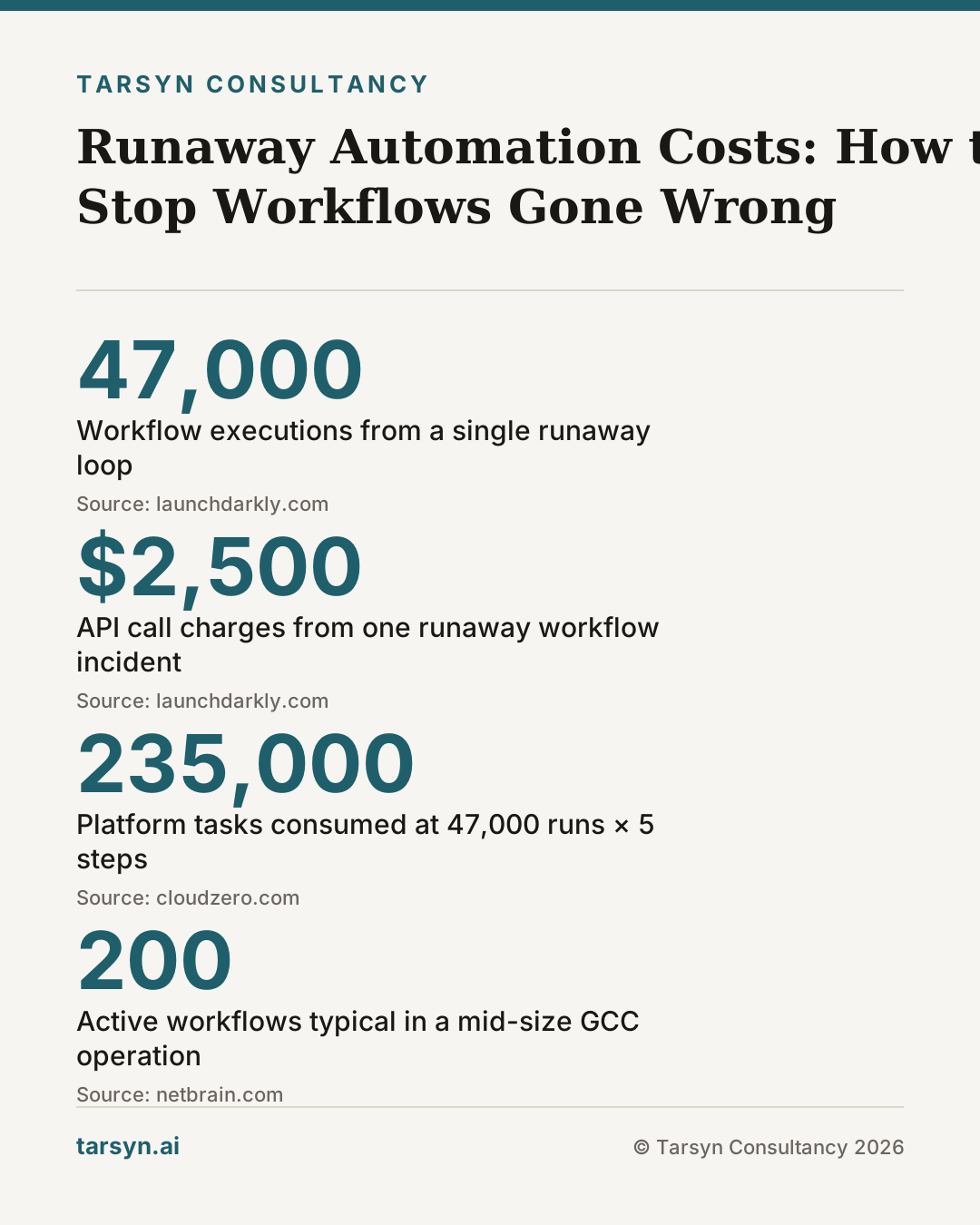
A logistics coordinator in Dubai noticed something strange at 2 a.m. — not because an alarm fired, but because a supplier called asking why they had received 340 purchase-order confirmation emails in four hours. The culprit was a single workflow: an IF condition that checked whether a shipment status field was empty, updated it, then re-evaluated the same field before the write had committed. The trigger kept firing on its own output. By the time the team killed it manually, the workflow had executed 47,000 times and the API call charges — at fractions of a cent each — had compounded into a $2,500 bill. No alert had fired. No one had designed one.
That is not a horror story from an early adopter. It is the predictable result of deploying workflow automation without a spend architecture. Vendors selling automation platforms are not lying when they show you efficiency gains. They are just not showing you the failure budget.
What a runaway workflow actually looks like — and why it happens more than vendors admit
A runaway workflow is not a crash. It looks like success, at least to the platform. Every execution completes. Every API returns a 200. The workflow logs are clean. What is actually happening is that the trigger condition is perpetually satisfied, so the platform dutifully runs the workflow again. And again. At whatever execution rate the plan allows.
The most common causes are:
- Self-referential triggers — a workflow that modifies a record, triggering a change-detection event on that same record, which fires the workflow again.
- Missing idempotency checks — no logic to confirm whether the thing the workflow is trying to do has already been done.
- Webhook fan-out — one external event triggers multiple workflows, each of which calls an API that emits another webhook.
- Retry storms — a downstream API is slow, the platform retries, the API processes both the original and the retry, emitting two success events that each re-trigger the workflow.
The deeper problem is structural. Most workflow platforms are sold on a per-execution pricing model. From the vendor's perspective, high execution counts are revenue. There is no commercial incentive to make runaway loops obvious. The "control gap" — the mismatch between how quickly teams can deploy automation and how effectively they can govern it at runtime — is a known problem in continuous-deployment environments [1]. In workflow automation for business operations, that gap is often wider and the financial exposure is more direct.
The four cost exposure points in any automation stack
Before you can govern automation spend, you need to know where the money goes. There are four distinct meters running in any modern workflow stack:
1. Execution volume charges Most platforms (n8n cloud, Make, Zapier) price by task or operation count. A workflow with five steps costs five tasks per run. At 47,000 runs, that is 235,000 tasks. Check the pricing tier your team is actually on — the generous free allowances in sales decks rarely reflect production usage.
2. API call charges from connected services Every call to an external API — an ERP, a WhatsApp Business API endpoint, an OpenAI completion — has its own meter. These are often billed by the connected service, not the workflow platform, so they do not appear in the same invoice. A runaway loop hitting the WhatsApp Business API at the GCC's typical message rates can generate charges that dwarf the workflow platform bill.
3. Data egress and storage Workflows that pass large payloads — PDF attachments, image files, bulk ERP exports — accumulate egress costs on cloud infrastructure. A document-processing workflow that was designed to run 50 times a day, running 50,000 times, will surface costs in the cloud bill three weeks later, by which point the damage is done.
4. Third-party trigger and integration costs Zapier Tables, HubSpot workflow triggers, Salesforce API call limits, SAP event-mesh subscriptions — each integration has a cost or a limit. Runaway loops exhaust these limits quickly, often breaking other, unrelated automations that share the same API quota. This is where a single runaway workflow stops being a billing problem and becomes an operational outage.
Teams building on n8n for Gulf ERP operations — a sensible choice for the region's data-residency requirements — should read the detailed breakdown of how these costs stack in production in our Workflow Automation for ERP: What n8n Means for Gulf Ops piece before sizing their infrastructure.
Guardrails that stop the bleed: loop limits, budget alerts, and dead-man switches
The good news is that none of this requires exotic tooling. The guardrails that prevent runaway automation costs are architectural decisions made at build time. The bad news is that they require someone to make those decisions before the first incident, not after it. [1]
Loop limits and execution ceilings Every workflow should have a configured maximum execution count per time window — per hour and per day. This is not the same as the platform's global rate limit. It is a per-workflow ceiling set by the team. In n8n, this is achievable with a counter node and a conditional exit. In Make, scenario scheduling and operation caps do part of the job. The ceiling should be set at roughly 3x expected normal volume — generous enough not to break legitimate spikes, tight enough to catch a runaway before it costs you money.
Budget alerts with hard ceilings — not just soft notifications There is a meaningful difference between an alert that tells you spending is high and a control that stops spending. [3] Soft alerts (email at 80% of budget) are useful. Hard ceilings (workflow paused at 100% of daily budget) are necessary. CloudZero's research on AI cost guardrails describes this as a three-layer approach: tagging for visibility, alerts for awareness, and automated enforcement for control. [3] The same logic applies to workflow automation spend. Finance and IT need to see the same cost signal — not discover overruns at month end when the invoice arrives.
Dead-man switches (watchdog monitors) A dead-man switch is a control that expects a regular heartbeat from a workflow. If a workflow that should run every 15 minutes stops producing a signal, the watchdog fires. This sounds simple, and it is — but it catches the failure mode that is the opposite of a runaway loop: a workflow that has silently stopped working, with no one noticing. In GCC operations contexts, where a WhatsApp-to-ERP sync or a customs document workflow running silently dark for 48 hours can mean delayed shipments and missed Jebel Ali port cutoffs, this matters as much as preventing runaway costs. See also our piece on When Automation Reports Success and Your Business Fails for the full taxonomy of silent failures.
Kill switches accessible without engineering A kill switch that requires a Jira ticket and a developer to action it is not a kill switch. In a runaway scenario, every minute of latency costs money. At least one senior ops manager — not just the technical lead — should be able to pause any workflow from a dashboard with no code access required. LaunchDarkly's work on runtime control architecture makes the case that kill switches must be operable by non-engineers to be useful in production incidents. [1]
Closed-loop remediation, not just detection Detection without automated remediation is half a system. NetBrain's framework for closed-loop automation distinguishes between detection, diagnosis, and verified remediation as three distinct phases — each requiring its own tooling and ownership. [2] In workflow terms: detecting a runaway (execution count alert), diagnosing it (which workflow, which trigger, since when), and remediating it (auto-pause + notify owner) are three separate actions that need to be wired together before an incident, not assembled under pressure during one.
Monitoring your 200 workflows without drowning in noise
Once an automation programme matures — and in a mid-size GCC trading or logistics operation, 200 active workflows is not unusual — flat monitoring becomes useless. If every workflow failure sends the same priority alert to the same Slack channel, the channel becomes noise, the noise gets muted, and the actual critical failures go unnoticed.
The answer is tiered monitoring:
| Tier | Criteria | Alert channel | Response SLA | |------|----------|---------------|--------------| | 1 — Revenue-critical | Touches customer orders, payments, or customs docs | SMS + ops manager | 15 minutes | | 2 — Ops-critical | Feeds ERP inventory, procurement, or HR | Slack + team lead | 2 hours | | 3 — Reporting/enrichment | Dashboards, data syncs, BI pipelines | Daily digest | Next business day |
Tier assignment should be decided by the business owner of the process, not by the developer who built the workflow. This is a governance decision, not a technical one.
A practical rule: every workflow in your stack should have a named owner, a defined tier, an execution ceiling, and a last-reviewed date. Any workflow that cannot answer all four questions should not be in production. Our piece on silent monitoring failures covers how to instrument this in practice.
The AI cost guardrail literature is converging on the same principle for LLM workloads: "teams need pragmatic, flexible guardrails — not rigid budgets or knee-jerk shutdowns that slow progress." [3] The same applies to workflow automation. The goal is not to make automation harder to run. It is to make failure visible and stoppable before it becomes expensive.
Tarsyn's view: governance is an architecture decision, not an afterthought
We have seen the pattern enough times to call it predictable. A GCC operations team licenses a workflow platform, builds thirty automations in the first quarter because it is genuinely fast, hits a billing surprise or a silent failure, and then spends the next quarter building the governance scaffolding they should have designed first. The total time cost is higher than if they had started with governance. The confidence cost — ops managers who now distrust automation — is harder to recover.
The honest framing: deploying workflow automation without spend guardrails is not a calculated risk. It is an uncosted liability. Multiply the number of workflows you plan to run by the worst-case execution count of the most trigger-happy one, multiply that by your API call rate, and ask whether that number appearing on next month's invoice would be acceptable. If the answer is no, governance is not optional.
What does "governance first" actually look like in practice?
- Before build: define the execution ceiling, the owner, and the tier for every planned workflow. If you cannot answer those three questions, the workflow is not ready to be built.
- Before go-live: confirm that budget alerts exist at 70% (soft) and 100% (hard pause), that a kill switch is accessible to a non-engineer, and that a dead-man monitor is in place for any tier-1 or tier-2 workflow.
- At 30 days: review execution counts against projections. Any workflow running at more than 2x projected volume needs a diagnosis before month two.
- Quarterly: retire or archive any workflow that has not been reviewed or whose owner has left the organisation.
This is not a complicated programme. It is the operational hygiene that vendors omit from the sales process because it slows the initial deployment and — temporarily — makes the platform look less impressive. We charge the same whether the answer is "go live now" or "build the governance layer first." The answer is almost always "build the governance layer first."
If you are starting an automation programme or inheriting one that has grown without oversight, the right starting point is a structured audit of what is running, what it costs, and who owns it. That is exactly what our Automation Audit covers — a concrete inventory of your current workflows, the cost exposure in each, and a governance architecture designed for your operational context before anything new goes live.
For teams also navigating the broader question of when AI tooling is genuinely ready for GCC operations versus when it is vendor-driven FOMO, the five-step audit before any AI spend is the right companion read.
Articulate chaos is still chaos. The IF condition that launched 47,000 workflow runs was not a fluke. It was a governance gap waiting for a trigger. Build the guardrails before you need them.
Frequently asked questions
What causes a runaway workflow automation loop?+
Runaway loops usually start with a trigger that re-fires on its own output — for example, a workflow that updates a record, which triggers a change event, which re-runs the workflow. Without a loop-detection limit or a condition that checks whether the record was already processed, the cycle repeats until a hard platform cap or a budget ceiling stops it. Vendors rarely surface this risk in onboarding materials.
How do I set a budget guardrail for workflow automation spend?+
The minimum viable approach is three layers: a soft alert at 70% of your monthly execution budget, a hard pause at 100%, and a per-workflow daily execution ceiling. More mature teams add unit-economics tagging — tying each workflow's run cost to the business process it serves — so finance and ops share the same cost signal rather than discovering overruns at month end.
What is a dead-man switch in workflow automation?+
A dead-man switch (sometimes called a watchdog) is a control that expects a regular heartbeat signal from a workflow. If that signal stops arriving — because the workflow silently errored, stalled, or was accidentally disabled — the switch fires an alert or triggers a fallback action. It catches the opposite failure to a runaway loop: a workflow that should be running but isn't, with no one noticing.
How should GCC operations teams govern workflow automation at scale?+
Governance must be designed before the first workflow goes live, not bolted on after the first incident. That means: a named owner per workflow, loop limits and daily execution caps set at build time, budget alerts visible to both IT and finance, a kill switch that any senior ops manager can trigger without engineering access, and a monthly review that retires unused automations rather than letting them accumulate.
Sources
- 1. How to automate runtime control with kill switches, progressive rollouts, and user targeting | LaunchDarkly — launchdarkly.com
- 2. Closed-Loop Automation: From Detection to Verified Remediation — www.netbrain.com
- 3. AI Cost Guardrails: A Practical Playbook For Spend Controls — www.cloudzero.com
Mohammed Z
Founder, Tarsyn
Mohammed builds the systems behind modern businesses — automation, AI decision layers, and the unglamorous plumbing that makes them work. He founded Tarsyn in Abu Dhabi.
Find out where your operation actually stands.
The AI Opportunity Audit maps your workflows, your data, and your decision bottlenecks — and tells you honestly whether AI is worth it yet.
Start the audit