27 October 2026 · 8 min read
How UAE Logistics Teams Automate the Paper Chase
UAE logistics coordinators still copy-paste across five documents manually. Here's the exact trigger-action chain to automate it — and what must be in place first.

Key takeaways
- The shipment paper chain has five fixed documents — sales order, customs declaration, commercial invoice, packing list, booking confirmation — and the copy-paste happens at all four handoffs between them.
- Three automation tiers exist for Gulf logistics teams: ERP-native flows, no-code connectors like Power Automate, and lightweight AI agents — and each tier requires a different data-readiness baseline.
- Automating invoice matching and bill-of-lading reconciliation delivers the fastest return because these are the highest-volume, highest-error steps in the chain.
- Buying any automation tool before document templates are standardised and source-system data is clean is a guaranteed way to scale errors, not eliminate them.
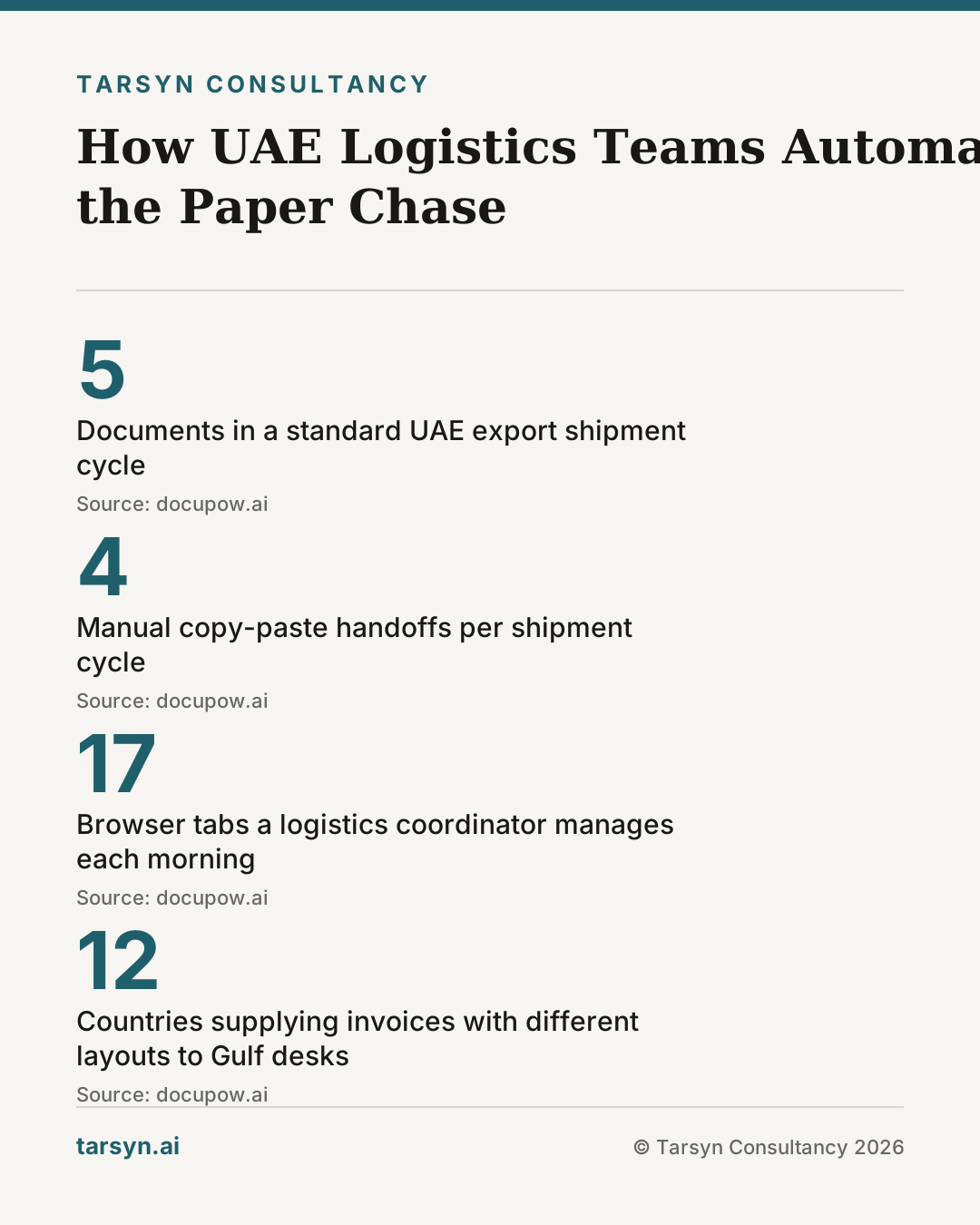
A logistics coordinator at a Jebel Ali freight forwarder opens her morning to seventeen tabs: a sales order in the ERP, a customs declaration form in a government portal, a carrier booking screen, a supplier invoice in her inbox, and a packing list that arrived as a scanned PDF. Her job, for the next two hours, is to copy the same shipment reference, consignee address, and HS code into each one — by hand. This is not a 2015 problem. It is happening today, across hundreds of Gulf logistics desks, because nobody has mapped the exact sequence that connects these documents into a single trigger-action chain.
The fix is not complicated. But it requires precision most vendors won't provide.
Why shipment paperwork is still manual across Gulf logistics desks
The honest answer is not that software is missing. Most mid-sized freight and trading operations in the UAE already run an ERP — SAP, Oracle, or Odoo — and most have access to Microsoft 365, which includes Power Automate licences they are not fully using. The problem is structural: the five documents in a standard shipment cycle were built in different systems, by different teams, at different times, with no shared data model underneath them.
When a sales order is confirmed, nothing automatically triggers the customs declaration. When the invoice is generated, the packing list is still edited in Excel. When the carrier sends a booking confirmation by email, someone manually checks whether the container count matches the packing list. Each of these gaps is a copy-paste moment. Four gaps across five documents means four opportunities to introduce an error — or a compliance exposure, given the UAE's customs audit environment.
The second structural problem is document diversity. A Gulf logistics desk does not handle one document layout per type. Invoices arrive from suppliers in twelve countries, each with different field labels, date formats, and currency placements. A booking confirmation from one carrier looks nothing like one from another. Template-based extraction — the approach most legacy document tools use — breaks every time a new supplier or carrier enters the mix [2].
The five-document chain: where the repetition actually lives
The standard UAE export or re-export shipment moves through five documents in a predictable order:
- Sales order — the source of truth. Contains the consignee, product codes, quantities, and agreed price.
- Customs declaration — filed with UAE Customs via the relevant emirate's portal. Requires HS codes, country of origin, and declared value drawn from the sales order.
- Commercial invoice — issued to the buyer. Must match the sales order on price and the customs declaration on value.
- Packing list — issued alongside the invoice. Confirms carton count, gross/net weights, and dimensions. Must match the booking.
- Booking confirmation — issued by the carrier or freight forwarder. Locks in vessel, cut-off date, and container type.
The repetition lives at the four handoffs: order → customs, customs → invoice, invoice → packing list, packing list → booking. Every handoff where a human manually transfers data is a potential mismatch. Mismatches cause customs holds, carrier rebooking fees, and delayed payment terms — all quantifiable costs that dwarf any software licence fee.
Automating invoice matching and bill-of-lading reconciliation specifically offers the fastest return because these are the highest-volume, highest-error steps in the chain [2].
Three automation tiers — and what each one actually requires
Not every Gulf logistics team needs an AI agent. The right tier depends on data consistency, document variety, and in-house technical capacity. Here is a plain comparison:
Tier 1 — ERP-native flow Best for: teams whose five documents are all generated inside a single ERP instance, with consistent data entry discipline. How it works: the ERP's workflow engine (SAP's process automation, Odoo's automated actions, Oracle's approval workflows) propagates confirmed sales order fields into downstream document templates automatically. Requires: a single ERP as the data source of record; standardised document templates inside that ERP; a trained team that does not bypass the ERP for "quick" manual entries. Ceiling: breaks the moment a document type lives outside the ERP — which, in Gulf logistics, is almost always the government customs portal and the carrier booking system.
Tier 2 — No-code connector (Power Automate / Zapier / Make) Best for: teams whose documents span two to three systems with consistent formats. How it works: a trigger in one system (e.g., sales order status = "confirmed" in the ERP) fires an action in another (e.g., pre-fills the customs declaration form via API or a structured email template). Requires: stable API or webhook access to each connected system; field-name standardisation across systems so the connector knows where to map data; documented exception handling for when a trigger fires but the target system is unavailable. Ceiling: struggles with unstructured inbound documents. If the supplier invoice arrives as a PDF with a different layout each time, the connector cannot extract data reliably without an additional document intelligence layer.
Tier 3 — AI agent or intelligent document processing Best for: teams handling high-volume, high-variety inbound documents — multiple carriers, multiple supplier invoice formats, multi-language packing lists. How it works: a template-free extraction engine reads each document semantically, identifies fields by meaning rather than position, and routes extracted data into the trigger-action chain [2]. A lightweight agent can then apply business rules (does the invoice total match the PO within tolerance?), flag exceptions, and escalate to a human reviewer without requiring a coordinator to read every document. Requires: a clear definition of where automated processing starts and stops; documented approval and exception paths; human oversight for policy-level decisions and any output that will be submitted to a government portal [1].
The mistake most Gulf operators make is jumping to Tier 3 because the vendor demo is impressive, while their Tier 1 foundation — a clean ERP with standardised document templates — does not yet exist. The agent then has to compensate for messy source data, and it does so with articulate errors rather than obvious ones.
For teams evaluating AI agents more broadly, our article on what the bug rate means for your ops is worth reading before any procurement decision.
What you need in place before any tool can help
This is the section most automation vendors skip. They show you the workflow; they do not show you the prerequisite checklist. Here it is, specifically for Gulf logistics document automation:
1. A single authoritative source system per document type. If the sales order exists in both the ERP and a sales team spreadsheet, and either version can be treated as current, no automation can reliably know which one to read. Pick one. Enforce it.
2. Standardised field names and formats across all templates. "Shipper Reference" in one form and "Ref No." in another are not the same field to a connector or an agent. Before automation, audit every document template your team produces and align the field labels. This is a two-day exercise that prevents months of mapping errors.
3. Documented exception paths. What happens when a booking confirmation arrives but the container count does not match the packing list? Who is notified? What is the resolution SLA? If this is not documented before automation is configured, the tool will either silently pass the mismatch downstream or halt entirely — neither is acceptable in a Jebel Ali cut-off scenario with a vessel sailing in six hours.
4. Clean historical data in your ERP. If your product master has duplicate HS codes, inconsistent unit-of-measure entries, or supplier records with mismatched names, an automation layer will propagate those inconsistencies at machine speed. Fix the data first. We explored this in more depth in most companies don't need more AI — they need cleaner spreadsheets.
5. A Ramadan and seasonal freight cutoff calendar built into your workflow logic. This is a GCC-specific requirement that generic automation templates ignore. If your booking trigger fires on day T and your tool does not account for the fact that the carrier cut-off moves two days earlier in the last week of Ramadan, you will automate yourself into a missed vessel. The calendar logic must be explicit in the workflow configuration.
Tarsyn's view: automate the trigger, not just the task
Most automation projects in Gulf logistics attack individual tasks — "let's automate invoice approval" or "let's OCR the packing list." The result is a collection of disconnected automations that do not talk to each other, each requiring its own maintenance, its own exception handling, and its own human watchdog.
The more durable approach is to automate the trigger: the moment a sales order is confirmed in the ERP, that single event should cascade — generating a pre-filled customs draft, queueing an invoice template, and opening a booking request — without anyone touching a keyboard for the data transfer steps. The human's job becomes reviewing the output, not producing it.
This requires that all five documents in the chain are modelled as outputs of a single data source, not as independent forms that happen to share some fields. It also requires that the automation layer is layered on top of a working ERP, not used as a substitute for one. We have seen this mistake made in both directions: teams that buy an AI agent before their ERP is stable, and teams that over-invest in ERP customisation when a lightweight connector would have done the job for a tenth of the cost. The five-step audit before any AI spend is the fastest way to determine which situation you are in.
Our honest position: if your document templates are not yet standardised and your sales order data has not been reconciled with your customs product master, buying any automation tool — no matter the vendor — is spending money to scale the chaos you already have. The right first move is a structured audit of where your documents enter the operation, which fields are repeated across the chain, and which systems are authoritative for each. That audit takes days, not months. It is also, almost always, cheaper than the first failed automation pilot.
If you want a structured way to do that assessment before committing to a tool or a vendor, the Tarsyn operations audit is where we start every engagement. We charge the same whether the answer is "automate now" or "fix the foundation first."
The automation is not the hard part. The trigger-action map is.
Frequently asked questions
Why is shipment paperwork still manual in UAE logistics operations?+
Most Gulf logistics teams work across disconnected systems — a sales order in one platform, a customs portal elsewhere, a booking confirmation via email. Without a mapped trigger-action chain connecting these, coordinators manually re-enter the same data at every handoff. The problem isn't that automation is unavailable; it's that no one has defined the exact document sequence and the rules that govern each transition.
What are the five documents in a standard UAE shipment workflow?+
The standard chain is: (1) sales order, (2) customs declaration, (3) commercial invoice, (4) packing list, (5) booking confirmation. Data from the sales order should cascade into each downstream document automatically. In most Gulf operations, it doesn't — coordinators copy-paste fields across all four handoffs, which is where errors and delays accumulate.
When should a logistics team use an AI agent instead of a Power Automate connector?+
Use a no-code connector when your documents are structured and consistent — same layouts, same fields, same ERP. Reach for an AI agent when document formats vary by carrier, supplier, or trade lane, and when extraction logic can't be hard-coded. But in both cases, the underlying data must be clean and templates standardised before the tool adds value rather than amplifying existing errors.
What does 'data readiness' mean in practice before automating logistics documents?+
Data readiness means three things: every document type has a single authoritative source system; field names and formats are standardised across templates (e.g., 'shipper ref' isn't 'Ref No.' in one form and 'Shipment ID' in another); and exception paths — missing data, mismatches, approval holds — are documented before automation is configured, not after the first failure.
Sources
- 1. AI in UAE Logistics — beam.ai
- 2. Start Document First Logistics Workflow Automation Without Templates — DocuPOW Resources — docupow.ai
Mohammed Z
Founder, Tarsyn
Mohammed builds the systems behind modern businesses — automation, AI decision layers, and the unglamorous plumbing that makes them work. He founded Tarsyn in Abu Dhabi.
Find out where your operation actually stands.
The AI Opportunity Audit maps your workflows, your data, and your decision bottlenecks — and tells you honestly whether AI is worth it yet.
Start the audit